WhatsApp Business App: The Complete Guide for 2026 (Setup, Features & Limits)
The WhatsApp Business app is free, takes five minutes to set up, and is genuinely enough for most small businesses. This 2026 guide covers how to download and set it up, every feature explained (catalog, labels, quick replies, auto-replies, broadcasts), the real limits, and exactly when you've outgrown it.

On this page
Around 200 million small businesses run their customer conversations on WhatsApp — and most of them start with one free app. The WhatsApp Business app takes about five minutes to set up, costs nothing, and handles a surprising amount: a proper business profile, a product catalog, saved replies, automated greetings and basic broadcasts.
This guide covers everything — how to set it up, what every feature actually does, the limits nobody mentions upfront, and the honest answer to when you've outgrown it.
What is the WhatsApp Business app?
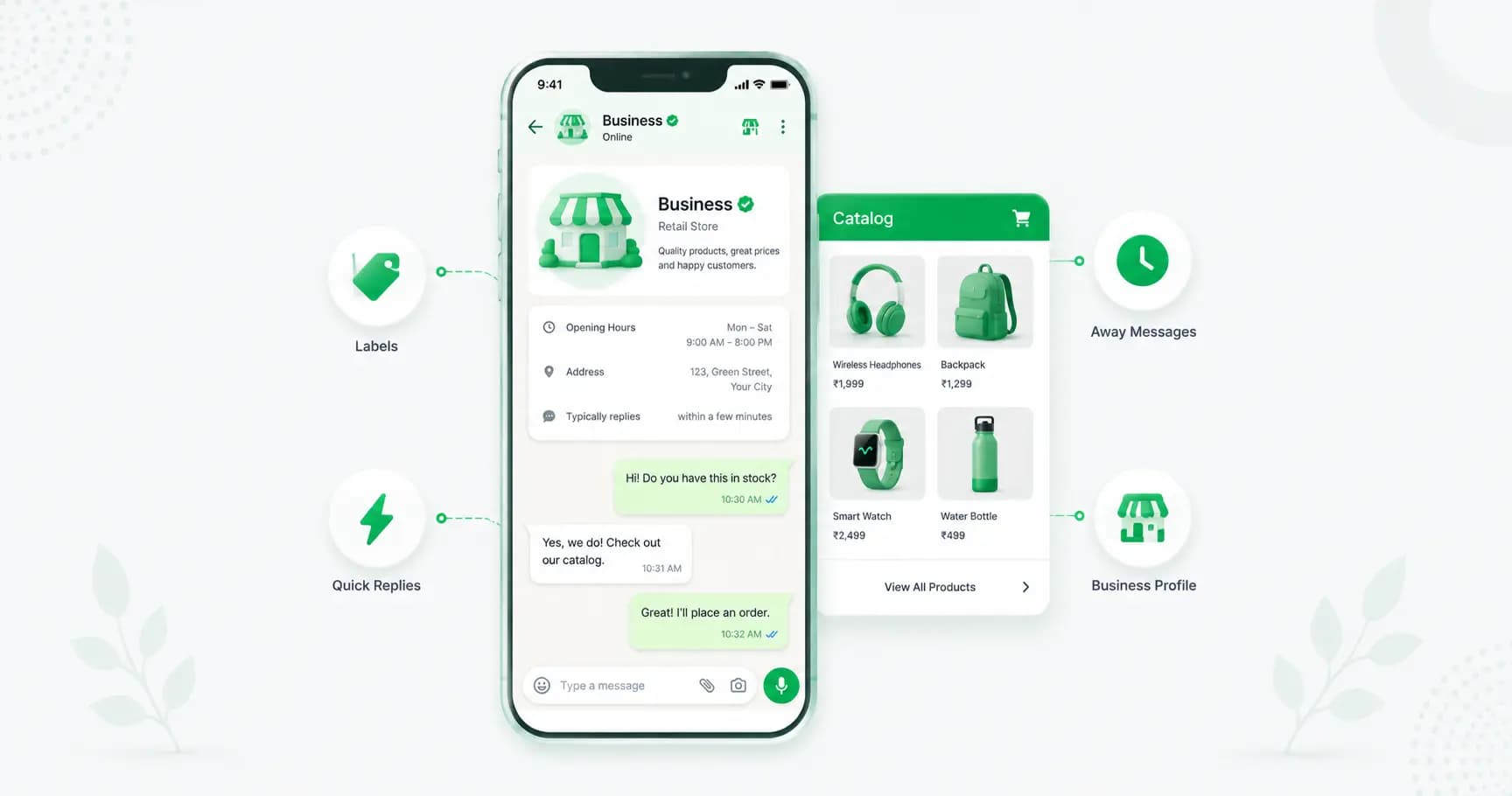
The WhatsApp Business app is a free, standalone app from Meta built for small businesses. It looks and works like regular WhatsApp, but adds business-only tools: a business profile with your address and hours, a product catalog, quick replies, chat labels, automated greeting and away messages, and basic messaging statistics.
It's a separate download from regular WhatsApp — not a mode you switch on — and it's available on both Android and iPhone.
WhatsApp Business vs regular WhatsApp
The important difference isn't just features — it's permission. Using a personal WhatsApp account for commercial purposes violates WhatsApp's Terms of Service. You also lose every business tool: no labels, no catalog, no quick replies, no greeting messages, no business profile.
Here's the practical comparison:
Regular WhatsApp | WhatsApp Business app | |
|---|---|---|
Cost | Free | Free |
Business profile | No | Yes (address, hours, website, category) |
Product catalog | No | Yes (up to 500 products) |
Quick replies | No | Yes |
Chat labels | No | Yes |
Auto greeting / away messages | No | Yes |
Broadcast lists | Yes (256) | Yes (256) |
Messaging statistics | No | Yes |
Allowed for business use | No | Yes |
If you're taking customer messages, use the Business app. It's free, and it's the only compliant option.
Can I use WhatsApp Business and personal WhatsApp on the same phone?
Yes. Because WhatsApp Business installs as a completely separate app, you can run both on one phone at the same time — as long as each uses a different phone number. Most business owners keep their personal number on regular WhatsApp and a second number (or their business landline, verified by call) on the Business app.
You can also convert an existing WhatsApp number into a Business account during setup, and your chat history carries over.
How to download and set up the WhatsApp Business app
The whole process takes about five minutes:
1. Download the app — search "WhatsApp Business" on the Google Play Store or Apple App Store. It's free, and it's published by Meta (check the developer name to avoid clones).
2. Verify your business number — enter the number you want to use and confirm the SMS or call verification code. If it's a number already on regular WhatsApp, you'll be offered the option to migrate it (and keep your chat history).
3. Set your business name carefully — this is what customers see, and WhatsApp restricts how often you can change it. Use your actual brand name, not a description or a keyword-stuffed phrase.
4. Complete your business profile — add your logo as the profile photo, plus your category, description, address, business hours, email and website. A complete profile is the single fastest trust win available to you.
5. Set up your tools — add a greeting message, an away message, a few quick replies and your catalog (all covered below).
That's it — you're live.
Every WhatsApp Business feature, explained
Business profile
Your storefront inside WhatsApp: logo, business category, description, address (with map location), opening hours, email and website. Anyone who messages you can view it. Fill in every field — it's free credibility.
Product catalog
A built-in mini storefront. Add products or services with an image, name, price, description and optional product code, then share the whole catalog or a single item in any chat. The catalog supports up to 500 products, and one catalog per account.
Be clear about what it is and isn't: it's a showroom, not a shop. There's no checkout, no inventory sync and no product-level reporting — customers browse and then message you to order. (For a real in-chat store with carts and payments, see our guide on [how to sell on WhatsApp](https://splashifypro.com/blog/how-to-sell-on-whatsapp-store-catalog-setup).)
Quick replies
Saved responses you insert by typing a shortcut (like /hours or /price). Perfect for the same five questions you answer twenty times a day. Set these up first — it's the biggest time-saver in the app.
Chat labels
Colour-coded tags for organising conversations: "New order," "Payment pending," "Follow up," "Resolved." They're your lightweight CRM. The catch is that every label has to be applied manually, which gets inconsistent as volume grows.
Greeting message
An automatic message sent when someone contacts you for the first time — or after 14 days of inactivity in a chat. Use it to set expectations ("Thanks for messaging! We reply within 2 hours, 10am–7pm").
One limitation: you get one static greeting, so no multiple languages and no time-based variations.
Away message
Sent automatically outside your business hours, so customers know when you'll be back. Set it to your actual schedule and always include when they can expect a reply.
Broadcast lists
Send one message to many people, delivered as private one-to-one chats. Two hard limits: a maximum of 256 recipients per list, and recipients only receive it if they've saved your number. (More in our [WhatsApp broadcast guide](https://splashifypro.com/blog/how-to-send-whatsapp-broadcast).)
Messaging statistics
Basic counts of messages sent, delivered, read and received. Useful as a pulse check, but there's no campaign tracking, no click data and no conversion reporting.
WhatsApp Business Web and Desktop
Link your account to a computer so you can reply with a real keyboard. Free, takes under two minutes, and works with up to four linked devices plus your phone. See our [WhatsApp Web guide](https://splashifypro.com/blog/whatsapp-web-login-qr-code-guide) for setup.
Short link and QR code
The app gives you a click-to-chat link and QR code so customers can message you without saving your number. Put the link in your Instagram bio and the QR on your packaging and storefront. (Ours: [link generator](https://splashifypro.com/whatsapp-link-generator) and [QR generator](https://splashifypro.com/whatsapp-qr-code-generator).)
Tips to get more out of it
- Set up quick replies on day one — even three or four saves hours a week.
- Fill in every profile field, especially hours and address; incomplete profiles look abandoned.
- Use labels consistently from the start; retrofitting them to 500 chats is miserable.
- Keep your greeting honest about response times — under-promise, over-deliver.
- Share catalog items directly in chats rather than making customers hunt for them.
- Pin your most active chats and mute noisy ones to keep the inbox manageable.
The real limits of the free app
Here's the honest part most guides skip, because they want to sell you an upgrade immediately.
For a freelancer, consultant, local store or a team of five or fewer handling under ~50 conversations a day, the free app is genuinely enough. Don't let anyone talk you into a platform you don't need yet.
That said, these are the walls you'll eventually hit:
- 256-contact broadcast cap, and only to people who've saved your number.
- No real automation beyond a single greeting and away message — no chatbots, no flows, no drip sequences.
- No true multi-agent support. Linked devices let you use a computer, but there's no conversation assignment, no internal notes, no agent permissions and no accountability. Two people working the same inbox quickly step on each other.
- Manual everything — labels, replies, follow-ups. It scales with your effort, not your systems.
- No integrations with your CRM, store or website.
- No campaign analytics — you can't tell what drove a sale.
- The catalog has no checkout or inventory sync.
About the green tick
A common misconception: the free app gives you a "Business Account" label, but not the verified green tick. The classic notability-based badge requires the WhatsApp Business API and Meta's review.
The nuance worth knowing in 2026: Meta Verified is a paid subscription that is available in supported regions including India — and can be applied for from within the WhatsApp Business app, without the API. Full details in our [green tick guide](https://splashifypro.com/blog/how-to-get-whatsapp-green-tick).
When to upgrade to the WhatsApp Business API
You've outgrown the free app when any of these are true:
- You need to message more than 256 people, or reach customers who haven't saved your number.
- More than 2–3 people need to handle conversations, with assignment and accountability.
- You want a chatbot or AI agent answering questions 24/7.
- You need to integrate WhatsApp with your CRM, Shopify or WooCommerce store.
- You're running Click-to-WhatsApp ads and need instant automated replies.
- You want campaign analytics to see what's actually working.
The upgrade path is the [WhatsApp Business API](https://splashifypro.com/blog/whatsapp-business-api-guide), which removes every limit above — automation, unlimited opted-in broadcasts, a multi-agent shared inbox and integrations — for a per-message cost plus a platform subscription.
Two things that make the move painless in 2026: you can usually keep your existing number, and Coexistence lets you run the Business app and the API on the same number at once, with messages mirrored between them — so you don't have to abandon the app you're used to.
How Splashify Pro helps when you outgrow the app
When the free app stops keeping up, [Splashify Pro](https://splashifypro.com/whatsapp-api) is the natural next step — the official WhatsApp Business API with an AI chatbot, unlimited broadcasts to opted-in customers, a shared team inbox, Shopify and CRM integrations, and Instagram, RCS and email in the same platform. It's INR-native from ₹899/month, you keep your existing number, and you're live in one to two hours.
Frequently asked questions
Is the WhatsApp Business app free?
Yes, completely free to download and use on Android and iPhone. There are no subscription fees and no per-message charges. You only pay if you later upgrade to the WhatsApp Business API, which has per-message costs and a platform subscription.
What's the difference between WhatsApp and WhatsApp Business?
WhatsApp Business is a separate free app with business-only tools: a business profile, product catalog, quick replies, chat labels, automated greeting and away messages, and messaging statistics. Regular WhatsApp has none of these, and using a personal account for commercial purposes breaches WhatsApp's Terms of Service.
Can I use WhatsApp Business and regular WhatsApp on the same phone?
Yes. WhatsApp Business installs as a separate app, so you can run both simultaneously — as long as each uses a different phone number. You can also convert an existing WhatsApp number to a Business account during setup and keep your chat history.
How many products can I add to a WhatsApp Business catalog?
Up to 500 products, with one catalog per account. Each product can have an image, name, price, description and product code. The catalog has no checkout or inventory sync — customers browse and then message you to order.
How many people can I send a broadcast to on the WhatsApp Business app?
A maximum of 256 recipients per broadcast list, and only people who have saved your number will receive it. To message more people, or reach customers who haven't saved you, you need the WhatsApp Business API.
Can multiple people use the WhatsApp Business app?
Only in a limited way. You can link up to four devices plus your phone, but there's no conversation assignment, internal notes, agent roles or accountability — so two people working the same inbox tend to collide. For real team support you need the API with a shared inbox.
Does the WhatsApp Business app give me the green tick?
No. The app gives you a "Business Account" label, not the verified badge. The classic notability-based green tick requires the WhatsApp Business API and Meta's review. However, Meta Verified — a paid subscription available in supported regions including India — can be applied for from within the Business app without the API.
When should I upgrade from the WhatsApp Business app to the API?
When you need to message more than 256 contacts, have more than two or three agents handling chats, want a chatbot or automation, need CRM or store integrations, or want proper campaign analytics. For a solo owner or small team under about 50 conversations a day, the free app is genuinely enough.
The bottom line
The WhatsApp Business app is one of the best free tools a small business can install. Set up your profile properly, build your quick replies, add your catalog and turn on your greeting and away messages, and you'll look more professional than most of your competition — at zero cost.
Just know the ceiling: 256 contacts, no automation, and no real teamwork. The day you're broadcasting to more people than that, or a second person needs their own login, that's your signal to move up to the API.
[Ready to grow beyond the app? Start free with Splashify Pro →](https://app.splashifypro.com/auth/signup) — official WhatsApp API, AI chatbot, unlimited broadcasts and a shared inbox. Keep your number, live in 1–2 hours, free for 14 days.
Related posts
More articles you might find useful.
How to Change or Migrate Your WhatsApp Business Number (2026 Guide)
A business WhatsApp number is an asset printed on your website, cards and ads — so changing it needs care, or customers keep messaging a dead number. This 2026 guide covers all three "changes": switching the phone number, converting personal to business, and migrating to the API — the exact steps for each, and how to lose no chats or customers.
How to Schedule WhatsApp Messages (Android, iPhone, Web & Business) — 2026
WhatsApp still has no built-in scheduler — and the "Tools → Schedule message" option some sites mention doesn't exist. This 2026 guide covers every method that actually works: SKEDit on Android, Shortcuts on iPhone (with a catch), browser extensions on Web, and cloud scheduling on the Business API — plus what each one can't do.
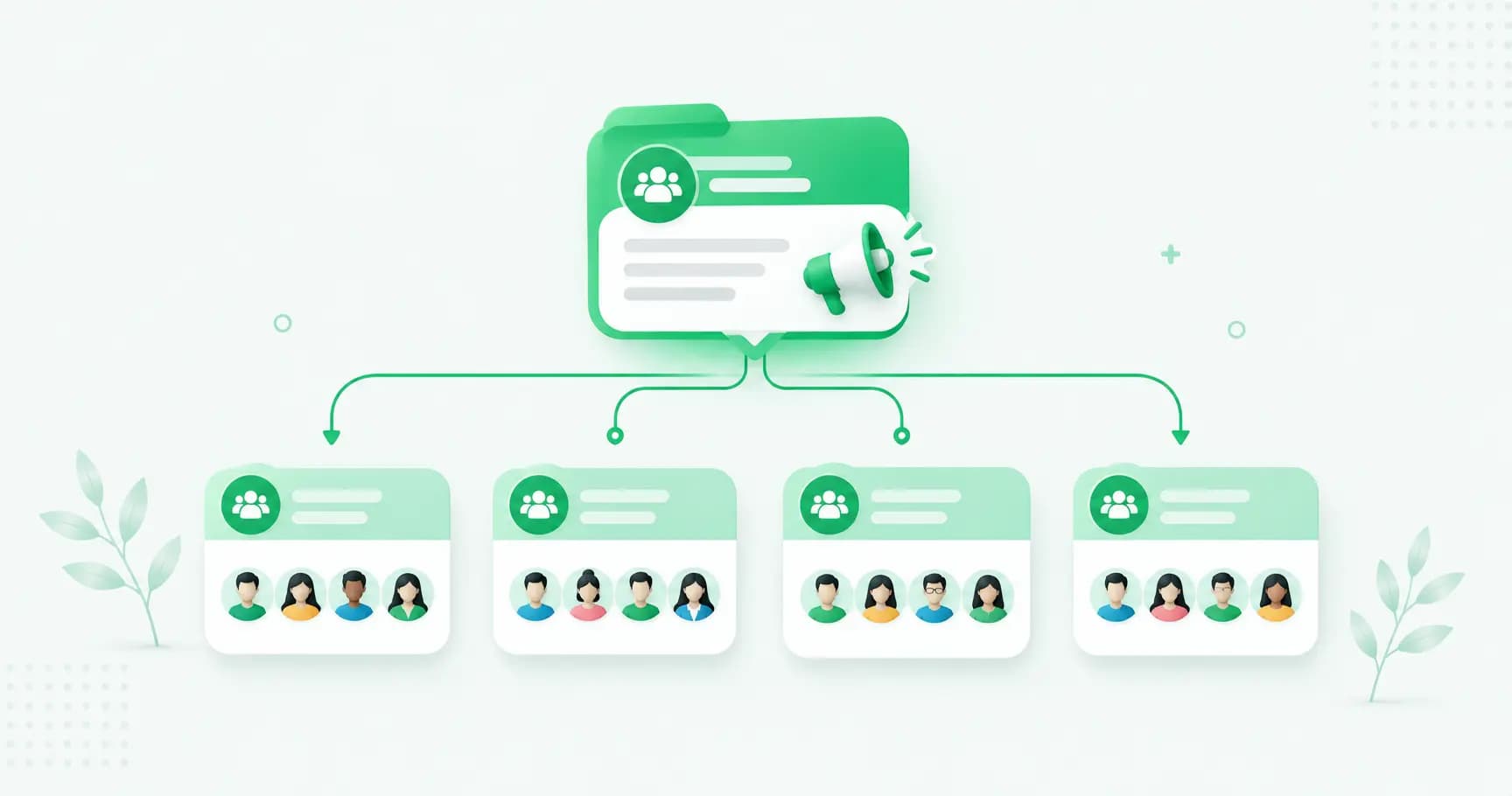
WhatsApp Communities: How to Create and Manage One (Complete 2026 Guide)
WhatsApp Communities tie related groups together under one name with an admin-only announcement group that reaches everyone at once — up to 5,000 members across 50 groups. This 2026 guide covers how to create and manage a Community, how it compares to groups and Channels, the limits, and when it's the wrong tool for customer messaging.