WhatsApp Channels: How to Create, Grow and Use One for Business (2026)
WhatsApp Channels give you free, unlimited one-way reach inside the Updates tab that 1.5 billion people check daily. This 2026 guide covers how to create a channel, how to grow it, what's new (paid subscriptions and promoted channels), how it compares to groups and broadcasts — and the honest limits to know before you build a strategy on it.

On this page
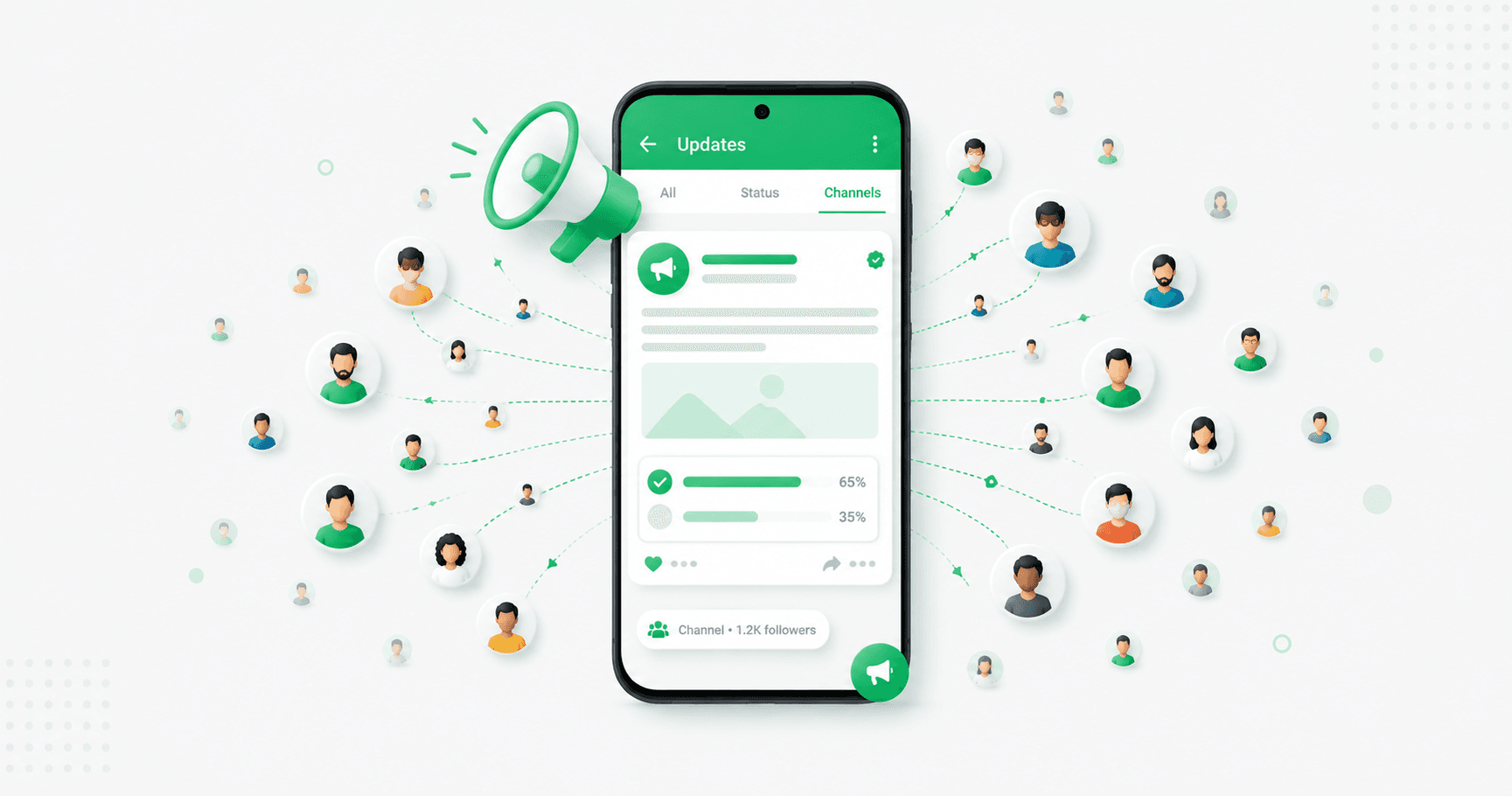
WhatsApp Channels are the closest thing to a free newsletter inside WhatsApp: a one-way broadcast feed that anyone can follow, with no cap on followers and no per-message cost. They live in the Updates tab — now used by 1.5 billion people a day — which makes them one of the biggest free reach opportunities a business has. This guide covers how to create one, how to grow it, what's new in 2026, and the honest limits you should know before you build your strategy around it.
What is a WhatsApp Channel?
A WhatsApp Channel is a public, follow-able feed where only the admin posts. Followers see your updates in the Updates tab (the tab that used to be called Status), completely separate from their personal chats. They can react with emojis and vote in polls, but they can't reply, and they can't see each other.
The important properties:
Unlimited followers — no 256 or 1,024 cap
Free to create and run, with no per-message charges
One-way — followers can't message back
Private by design — followers don't see your phone number, and you don't see theirs
Discoverable — channels appear in WhatsApp's searchable directory by category and country
Think of it as a broadcast noticeboard, not a conversation.
Channel vs group vs broadcast list vs API broadcast
These four get confused constantly, and picking the wrong one is a common mistake:
Followers | Direction | Who sees whom | Cost | |
|---|---|---|---|---|
Channel | Unlimited | One-way | Nobody sees anyone | Free |
Group | Up to 1,024 | Two-way | Everyone sees everyone | Free |
Broadcast list (app) | 256 | Private 1:1 | Only you | Free |
API broadcast | Unlimited (opted-in) | Two-way, personalised | Only you | Per message |
The short version: a Channel is for public updates to an audience you don't need to identify. An API broadcast is for reaching your own customers by name, with replies routed to a team inbox. Most serious businesses end up using both.
How to create a WhatsApp Channel
It takes under five minutes, and works from regular WhatsApp, the WhatsApp Business app, or WhatsApp Web.
Open WhatsApp and tap the Updates tab.
Tap the + icon next to Channels and choose Create channel.
Read the intro and tap Continue.
Enter a channel name — use your brand name. (You can change it later, but consistency helps.)
Add a channel icon — your logo works best.
Write a short description (keep it under 100 characters) with the words people might search for.
Choose a category and country. These decide where you appear in the directory, so pick the narrowest accurate fit, not the broadest.
Tap Create channel.
Before you share the link: have three to five posts ready to publish immediately. The first couple of days after creation are when WhatsApp measures early follower momentum, and an empty channel doesn't grow.
Tip: run the channel from a dedicated business number, not a team member's personal phone. Followers never see the number, but the admin account is tied to it, and you don't want the channel to leave with an employee.
What you can post
Channels support text, photos, videos, voice messages, stickers, links and polls. Polls are the one interactive element — use them, since they're the only way followers can talk back.
What performs well:
Product launches and new arrivals
Time-limited offers and flash sales
Behind-the-scenes and founder updates
Tips and educational content
Polls asking followers what they want next
Event and festival announcements
How to grow a WhatsApp Channel
The directory helps, but most channels grow from active promotion, not discovery. Channels don't have an algorithm pushing them to strangers.
Post consistently. Two to four times a week is the sweet spot. An erratic channel loses followers faster than a quiet-but-predictable one.
Put the join link everywhere — website, email signature, Instagram bio, packaging, in-store signage, receipts.
Give followers something exclusive — early access, channel-only discounts, first look at launches. A reason to follow that they can't get on Instagram.
Optimise your listing — a searchable description, a professional icon, and the right category and country.
Promote it with ads. Click-to-WhatsApp ads can drive people to follow your channel, and Meta is rolling out promoted channels so you can pay for directory visibility.
What's new in Channels for 2026
Meta has been steadily turning the Updates tab into a place businesses can grow, and three changes matter:
Paid channel subscriptions. Admins can offer exclusive updates behind a monthly fee — early access, VIP discounts, premium content. Meta takes a platform cut, and the rollout is gradual by region.
Promoted channels. For the first time, admins can pay to be surfaced in the directory — a real lever for early follower growth.
Ads in Status. Businesses can advertise in the Updates tab, with a tap starting a WhatsApp conversation.
All of this stays in the Updates tab. Personal chats remain ad-free and end-to-end encrypted. If you don't see a feature yet, it may not have reached your region — update the app and check back.
The limits: what a Channel can't do
This is where a lot of Channel strategies fall over, so read it before you commit:
No replies. Followers can't message you from the channel. If you want a conversation, you need a separate route.
No follower data. You can't see who follows you, export the list, or message anyone individually. The audience isn't yours the way an opted-in customer list is.
No personalisation. Every follower sees the identical post. No names, no segments, no "you left this in your cart."
Limited analytics. You'll see reactions and views, not who clicked what or what it earned.
No API. You can't automate posts from your systems or connect a channel to your CRM.
None of that makes Channels bad — it makes them a top-of-funnel tool. They're excellent for reaching a wide public audience for free. They're the wrong tool for talking to your actual customers.
Channels and the API: use both
The winning setup is a two-layer system:
Your Channel reaches the widest public audience — announcements, launches, offers — at zero cost and unlimited scale.
Your WhatsApp Business API handles your opted-in customers — personalised broadcasts by name, order updates, cart recovery, and replies flowing into a team inbox.
Use the Channel to attract, then move interested followers to a real conversation: put your click-to-chat link in posts ("Message us to order"), so the public broadcast turns into an opted-in, two-way customer relationship you actually own.
Frequently asked questions
What is a WhatsApp Channel?
A WhatsApp Channel is a public, one-way broadcast feed that appears in the Updates tab. Only the admin posts; followers can react with emojis and vote in polls but can't reply. Channels have no follower limit, are free to run, and keep both the admin's and followers' phone numbers private.
How do I create a WhatsApp Channel?
Open WhatsApp, tap the Updates tab, tap the plus icon next to Channels and choose Create channel. Add a name, icon and short description, pick a category and country, and tap Create. It takes under five minutes and works from regular WhatsApp, WhatsApp Business or WhatsApp Web.
Are WhatsApp Channels free?
Yes — creating and running a channel is free, with no per-message charges and no follower limit. Meta is rolling out optional paid features such as channel subscriptions (where followers pay for exclusive content) and promoted channels (where admins pay for directory visibility).
What's the difference between a WhatsApp Channel and a group?
A channel is one-way — only the admin posts, followers are unlimited, and nobody can see each other. A group is a two-way conversation where everyone sees everyone, capped at 1,024 members. Channels suit public updates; groups suit communities.
Can followers see my phone number on a WhatsApp Channel?
No. Followers see only your channel name and icon, never your number or personal profile. Equally, you can't see who your followers are. It's worth running the channel from a dedicated business number anyway, since the admin account is tied to it.
How many followers can a WhatsApp Channel have?
There's no limit. Unlike broadcast lists (256) and groups (1,024), channels can have an unlimited number of followers.
Can I make money from a WhatsApp Channel?
Directly, through paid channel subscriptions, which Meta is rolling out gradually — followers pay a monthly fee for exclusive updates, and Meta takes a platform cut. Indirectly, by driving followers to your shop, offers and booking links, which is where most businesses see results.
Can I see who follows my WhatsApp Channel?
No. WhatsApp doesn't show admins the follower list, and you can't export it or message followers individually. If you need an audience you can identify and message personally, you need opted-in customers on the WhatsApp Business API rather than a channel.
The bottom line
A WhatsApp Channel is free, unlimited reach in the one tab 1.5 billion people check daily — worth setting up in an afternoon, with a few posts ready and the link everywhere. Just understand what it is: a public broadcast, not a customer relationship. Use it to attract, and use a real two-way channel to convert.
Turn followers into customers. Splashify Pro gives you the two-way half — personalised broadcasts to opted-in customers, AI replies and a team inbox on the official WhatsApp API. Free for 14 days.
Related posts
More articles you might find useful.
WhatsApp Status for Business: 12 Ideas, How-To & Status Ads (2026)
WhatsApp Status is the free marketing tool most businesses ignore — Stories inside WhatsApp that reach the one audience that already trusts you: contacts who have your number. This 2026 guide covers how to use Status for business, 12 ideas that convert, how to see viewers, the honest limits, and how the new Status ads let you reach beyond your contacts.
WhatsApp Business Statistics 2026: 60+ Data Points for India & Global
The most accurate WhatsApp statistics for 2026 — user numbers, business adoption, India-specific data, marketing performance, pricing and AI trends. Every figure sourced, with conflicting estimates flagged rather than copied, so you can cite these numbers with confidence.
WhatsApp for Restaurants: Build Direct Orders & Cut Aggregator Commission (2026)
Swiggy and Zomato take 18–30% of every order. A direct WhatsApp order costs 4–6%. This 2026 playbook shows Indian restaurants and cloud kitchens how to build a direct ordering channel on WhatsApp — capturing customer numbers, automating reorders, taking reservations and running specials — without walking away from the aggregators that bring you discovery.